Published Feb 20, 2026
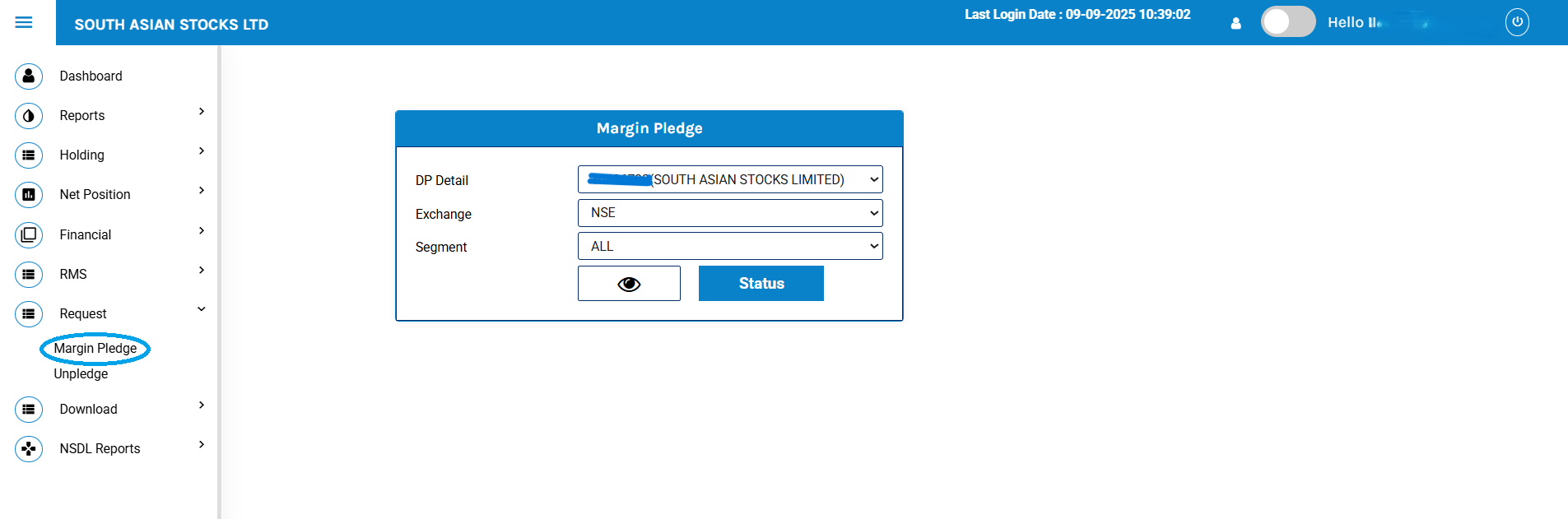
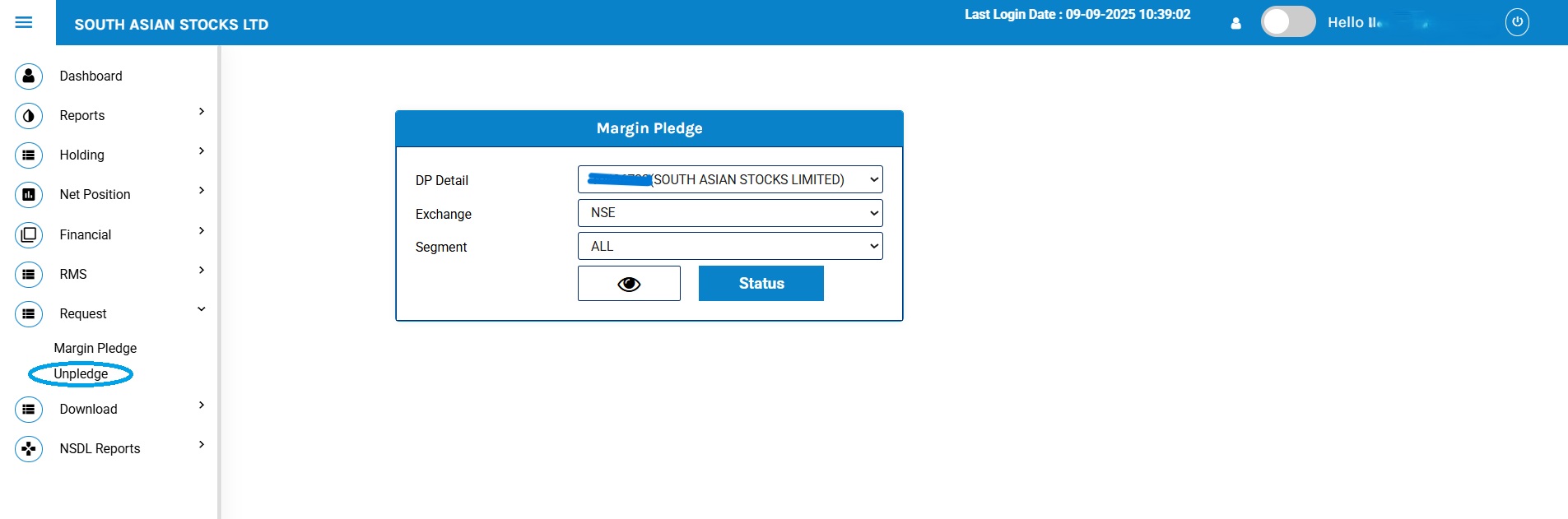
1 – To submit shares pledge request, kindly refer to the “Margin Pledge” section under “Request” on the Back Office Portal.
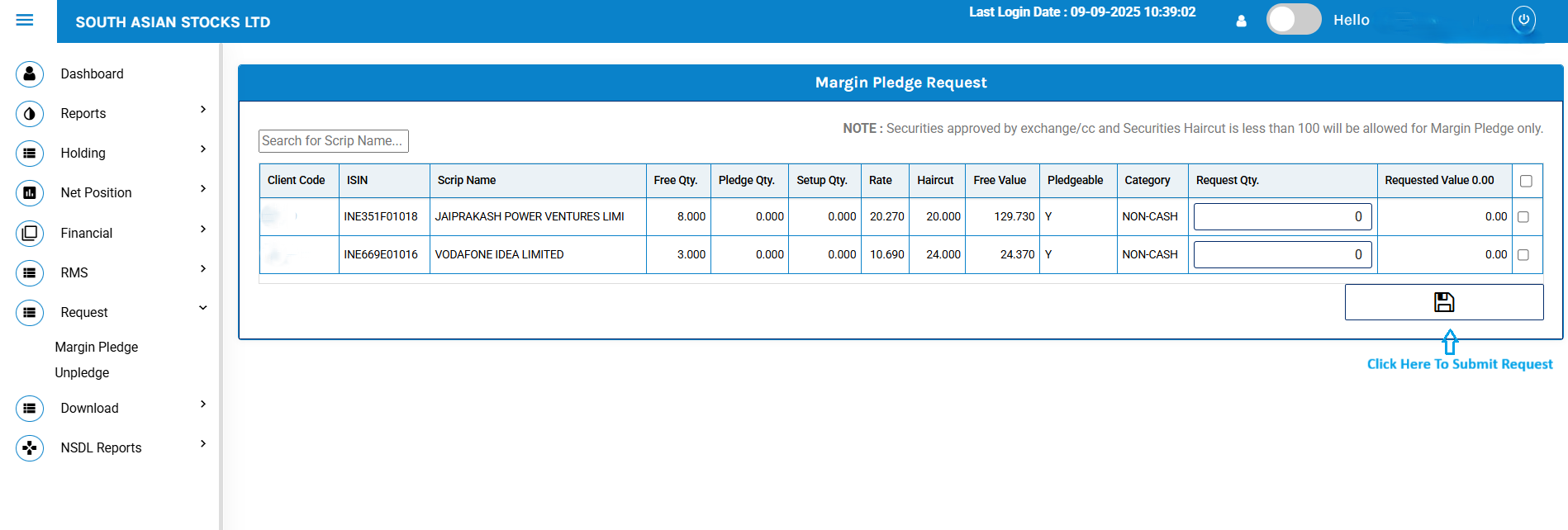
2 – Enter the Request Quantity and click on Submit Tab (Please be assured that your browser POP-UP is enabled to approve pledge request instantly).
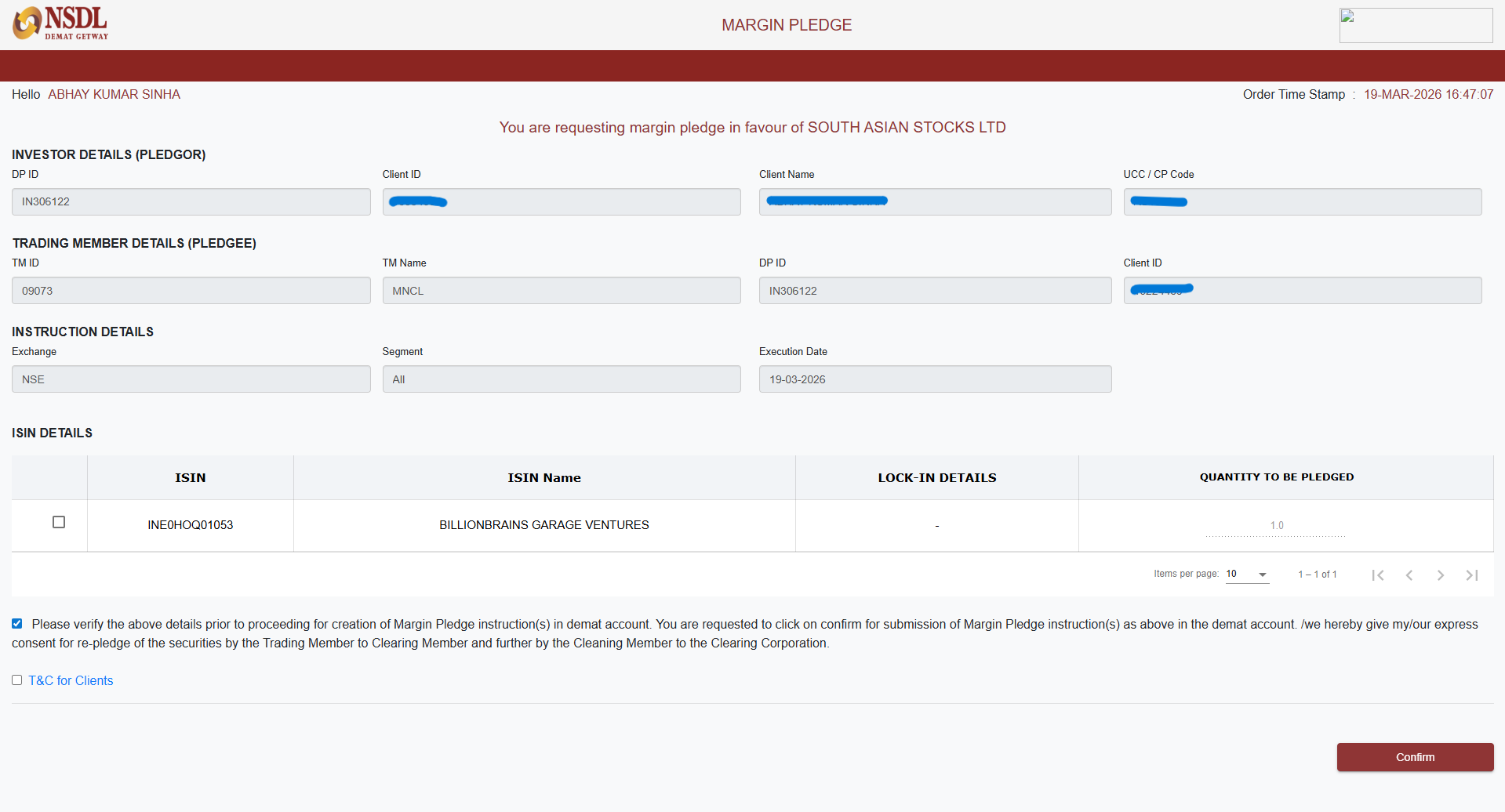
3 – If your browser POP-UP is enabled, then this NSDL window will open after click on Submit Tab.
# Tick on respective holding shares and confirm via OTP.
Note:
1 – If your browser POP-UP is not enabled, then you can approve directly from NSDL end. For more information, kindly click link.
2 – All pledge requests received by 5 PM will be processed on the same day. If the client completes the OTP process by 6:30 PM, they will receive collateral starting the next day for trading. If the request is completed later, the client will receive the collateral benefit the day after.
To submit shares Unpledge request, kindly refer to the “Unpledge” section under “Request”.
South Asian Stocks Ltd. : NSE Member Code 09073, BSE Member Code 6329, MCX Member Code : 55215 , NCDEX Member Code : 1233 NSDL : IN-DP-474-2020 . SEBI Registration No. INZ000164738
Compliance Officer: NSE,BSE,MCX,NCDEX,NSDL : Mr RK Jain , 011-40409999 support@stocko.in
Registered Office : 3rd Floor, Building No.5, Local Shopping Complex, Rishabh Vihar, Near Karkarduma Metro Station. East Delhi – 110092
For any complaints related to South Asian Stocks Ltd email at complaints@stocko.in
Please ensure you carefully read the risk Disclosure Document.
Procedure to file a complaint on SEBI SCORES: Register on SCORES portal. Mandatory details for filing complaints on SCORES: Name, PAN, Address, Mobile Number, E-mail ID. Benefits: Effective communication, Speedy redressal of the grievances
You will be redirected to our new website, InCredStocko.in, in a few seconds.
Please update your bookmarks accordingly.
Redirecting in 10 seconds...


